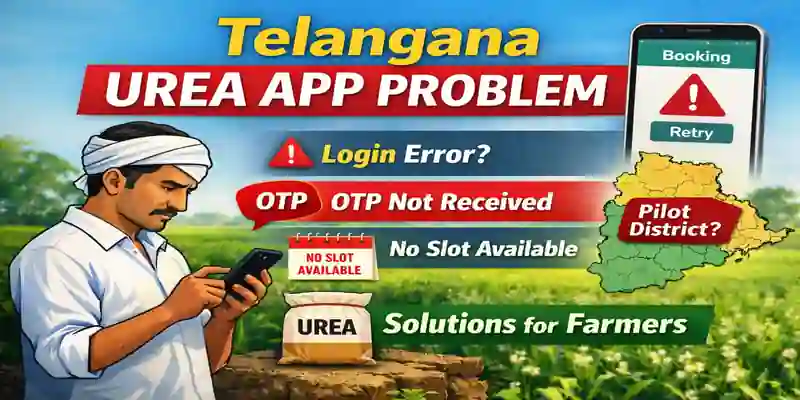
The Fertilizer Booking App Problem in Telangana has become a major concern for farmers, especially during peak urea demand periods. Through the fertilizer booking app, the Telangana government aims to ensure transparent and timely urea distribution while preventing black marketing using land and crop data.
However, many farmers now face operational and technical issues while using the fertilizer booking app. As a result, urea booking often gets delayed, especially during peak demand periods. Therefore, this article clearly explains the fertilizer booking app problem and practical solutions. Moreover, it helps farmers complete urea booking smoothly, without confusion or unnecessary delay.
1: Fertilizer Booking App Problem: App Not Opening
Issue
The fertilizer booking app fails to open, crashes frequently, or remains stuck on the loading screen.
Solution
First, update the app from the Google Play Store
Then, check internet connectivity (4G or 5G works best)
Also, clear the app cache from mobile settings
Finally, try opening the app during early morning or late evening
👉 During peak season, heavy server load often causes this fertilizer booking app problem.
2: Fertilizer Booking App Problem: OTP Not Received
Issue
Farmers do not receive OTP on their registered mobile number while logging in to the fertilizer booking app.
Solution
Ensure the mobile number is linked with Aadhaar
Additionally, disable Do Not Disturb (DND) mode
Improve network signal strength
Then, wait 1–2 minutes and tap Resend OTP
📌 Avoid requesting OTP repeatedly, as this may temporarily block login.
3: Fertilizer Booking App Problem: Login Failed
Issue
Login fails even after entering the correct OTP.
Solution
Enter OTP within the given time
Avoid extra spaces while typing
Close and reopen the fertilizer booking app
If the issue continues, reinstall the app
4: Fertilizer Booking App Problem: No Urea Slot Available
Issue
The fertilizer booking app shows “No Slot Available” during urea booking.
Solution
Slots open district-wise and date-wise
Therefore, check the app daily for updates
Also, try selecting a nearby mandal or fertilizer society
Slots appear only after official government allocation updates
👉 This message does not always mean that urea stock has finished.
5: Booking Submitted but Status Not Updated
Issue
Urea booking completes successfully, but the app does not show confirmation or status.
Solution
Check the My Bookings section
Wait for SMS confirmation
Sometimes, poor internet connectivity delays updates
If the status does not update within 24 hours, contact the Agriculture Office
6: Aadhaar or Land Details Not Matching
Issue
The fertilizer booking app fails to verify land records or shows incorrect data.
Solution
First, check details in the Pattadar Passbook
Then, verify records on the Dharani portal
Ensure the Aadhaar-linked mobile number remains active
Visit the Mandal Agriculture Officer (MAO) for correction, if needed
7: Fertilizer Booking App Automatically Logs Out
Issue
The app logs out suddenly during use.
Solution
Close background applications
Free up mobile RAM
Turn off battery saver mode
Update Android software, if required
8: Fertilizer Booking App Problem: District Not Included in Pilot
Issue
The fertilizer booking app displays the message “Your district is not included in pilot.”
Why This Happens
The Telangana fertilizer booking app is rolling out in phases
Currently, only selected districts are part of the pilot phase
Therefore, your district may not yet be activated
Solution
This is not a technical error
Wait for official expansion announcements
Meanwhile, keep checking the app regularly
In addition, farmers can:
Contact the local agriculture office
Seek help from cooperative societies or MeeSeva centers
👉 Once authorities expand the pilot phase, the fertilizer booking app will automatically work in your district.
Important Tips for Farmers
✔ Download the fertilizer booking app only from the official Google Play Store
✔ Do not pay agents for urea booking
✔ Keep SMS and app notifications enabled
✔ Follow official fertilizer society timings
FAQs – Fertilizer Booking App Telangana
Is the Telangana fertilizer booking app free?
Yes, it is a free government application.
How much urea can a farmer book?
Urea quantity depends on landholding and declared crop details.
Can farmers get urea without the app?
In emergency cases, cooperative societies or MeeSeva centers may assist.
Conclusion
The fertilizer booking app in Telangana is an important step toward transparent fertilizer distribution. Although farmers face issues such as OTP delays, slot unavailability, login errors, and the “district not included in pilot” message, most problems can be resolved by following the correct steps explained above.
For regular updates, fertilizer news, and practical farmer guides, keep following FertilizerField.