
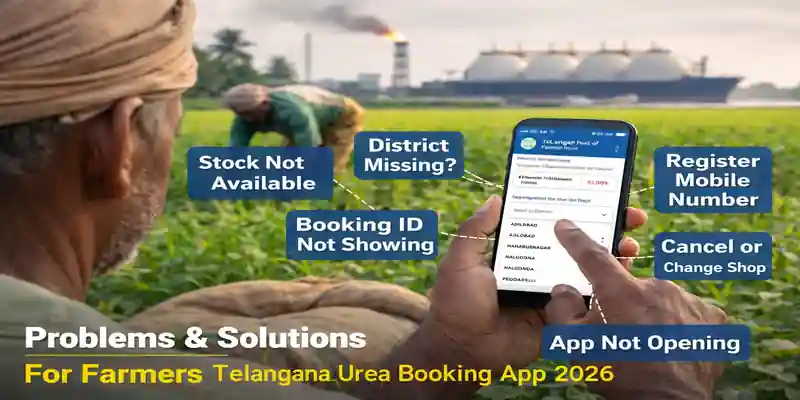
What is Telangana Urea Booking App 2026?
The Telangana Urea Booking App 2026 is designed to help farmers check urea availability and book fertilizer online. However, many farmers are facing issues while using the app.
In this updated guide, we explain:
How to download and use the app
How to register mobile number
How to book urea
Common errors and their solutions
Toll-free support details
How to Download Telangana Urea Booking App 2026 (Android & iPhone)
For Android Users
Open Google Play Store
Search “TG Urea Booking App”
Download the official Agriculture Department app Click here to download
For iPhone (iOS) Users
Currently, the Telangana Urea Booking App is mainly available for Android devices.
If you are an iPhone user:
Check Apple App Store for official version
If not available, use a family member’s Android phone
Or visit the nearest MeeSeva center
How to Register Mobile Number in Telangana Urea Booking App 2026
Many users say: “Mobile is not registered. How can I register?”
To register:
Open the app
Click Farmer Registration
Enter Aadhaar number
Verify OTP
Confirm land details
If mobile number is not linked with Aadhaar:
Visit Aadhaar enrollment center
Update mobile number
Try again after update
Step-by-Step Guide to Book Urea Using Telangana Urea Booking App 2026
Login with Aadhaar-linked mobile number
Check stock availability
Select district
Choose dealer (PPB)
Select phase (Phase 1 / 2 / 3)
Confirm booking
Save the booking ID carefully.
Common Problems in Telangana Urea Booking App 2026
1. Stock Not Available in Telangana Urea Booking App
Stock updates happen phase-wise
Wait for next allocation
Check early morning (6 AM onwards)
Contact local fertilizer dealer
2. District Not Showing in Telangana Urea Booking App
This usually happens due to:
Server issue
App not updated
Temporary filtering
Solution:
Update the app
Clear cache
Reinstall the app
Try again after some time
3. District Not Showing in Telangana Urea Booking App
If your district name is not visible:
Update app to latest version
Ensure land record is verified
Check spelling variations
Contact local Agriculture Officer
4. Booking History or Booking ID Not Visible
If booking history is not showing:
Logout and login again
Check internet connection
Wait 10–15 minutes (server delay possible)
If still not visible:
Visit dealer with Aadhaar
Contact support
5. Minimum Booking Period Not Completed Error
This means:
You already booked in current phase and waiting period is active.
You must wait until next phase opens.
6. App Not Opening or Login Error
Possible reasons:
Server overload
Old app version
Weak internet
Solution:
Update app
Restart phone
Try during non-peak hours
7. Status Showing “Purchased 4 Bags” But You Did Not Buy
Immediately:
Contact dealer
Contact Agriculture Office
Call toll-free number
Do not ignore this issue
8. Want to Cancel Booking or Change Shop
Currently, cancellation option may not be available in all phases.
You should:
Contact selected dealer
Visit local agriculture office
Ask if cancellation window is open
9. Not Able to Book Due to App Issue
During peak season, server load is high.
Try:
Early morning login
Stable internet
Different device
10. How to Book Without App?
If app is not working:
Visit nearest fertilizer dealer
Visit MeeSeva center
Contact Mandal Agriculture Officer
11. Urea Booking Timing (Example: NagarKurnool Kodair Mandal)
Booking usually opens phase-wise.
Most active timing:
6:00 AM to 10:00 PM
However, exact timing may vary based on district allocation.
12. Waiting Many Weeks, Showing Zero Bags
If stock shows zero:
Wait for next government allocation
Contact local dealer
Check neighboring district availability
Telangana Urea Booking App 2026 Toll-Free Number & Support
Farmers can try contacting:
📞 1800 599 5779
If the number is not connected:
Visit district agriculture office
Ask dealer for updated support number
Important Tips for Farmers
✔ Always use Aadhaar-linked mobile number
✔ Keep booking ID safe
✔ Check stock early morning
✔ Do not share OTP with anyone
✔ Avoid fake apps
Final Conclusion
The Telangana Urea Booking App 2026 is useful but sometimes faces technical issues due to heavy demand. Most problems are related to server load, phase restrictions, or registration mismatch.
Farmers should stay patient, keep documents ready, and contact official support when needed.
| Topic | Details |
|---|---|
| App Name | Telangana Urea Booking App 2026 |
| Official App Download | Download from Google Play Store |
| App Availability | Android (Google Play Store) |
| iPhone Support | Currently Limited / Check Apple App Store |
| Booking Timing | 6:00 AM – 10:00 PM |
| Toll-Free Number | 1800 599 5779 |
| Required Documents | Aadhaar, Land Record, Registered Mobile Number |
| Common Issues | Stock Not Available, District Missing, Booking ID Not Visible |
FAQs – Telangana Urea Booking App 2026
1. Why is Telangana Urea Booking App 2026 showing “Stock Not Available”?
Stock is released phase-wise by the government. If the app shows “Stock Not Available,” it means the current allocation has been booked. Farmers should wait for the next phase or check early in the morning when new stock updates are released.
2. Why are only 5 districts visible in Telangana Urea Booking App 2026?
This usually happens due to server load or outdated app version. Update the app to the latest version, clear cache, or reinstall the app. If the issue continues, contact your local agriculture office.
3. My district (Ranga Reddy / Sircilla / NagarKurnool / Yadadri) is not showing. What should I do?
Make sure your land records are verified and linked properly. Update the app and check again. If the district still does not appear, contact the Mandal Agriculture Officer.
4. How can I register my mobile number in Telangana Urea Booking App 2026?
To register:
Open the app
Click on Farmer Registration
Enter Aadhaar number
Verify OTP
Confirm land details
If your mobile number is not linked with Aadhaar, update it at an Aadhaar center first.
5. How to download Telangana Urea Booking App for iPhone users?
Currently, the app is mainly available for Android users on Google Play Store. iPhone users should check the Apple App Store for availability. If not available, farmers can visit a MeeSeva center or use an Android device.
6. Booking history or booking ID is not visible. How can I check it?
Log out and log in again. Wait a few minutes as server delay is common during peak season. If booking ID is still not visible, contact the selected fertilizer dealer with your Aadhaar number.
7. I booked urea but the status shows “Purchased” even though I did not collect it. What should I do?
Immediately contact your dealer and local agriculture office. You can also try calling the toll-free number. Do not ignore this issue, as it may affect future allocations.
8. How can I cancel my urea booking or change the shop?
Cancellation options depend on the phase. In most cases, you must contact the selected dealer or local agriculture officer for assistance.
9. The Telangana Urea Booking App 2026 is not opening. What is the reason?
The app may not open due to heavy server traffic, outdated version, or weak internet connection. Update the app and try again during non-peak hours.
10. How to book urea online without using the Telangana Urea Booking App 2026?
If the app is not working, farmers can:
Visit the nearest fertilizer dealer
Visit MeeSeva center
Contact Mandal Agriculture Officer
11. What is the toll-free number for Urea Booking App 2026 support?
Farmers can try calling:
📞 1800 599 5779
If the number is not connected, contact the district agriculture office.